Who can use this
None to compare plans. Sign-in is required to purchase for your account.
Before you start
My Blurbly catalogue prices are shown in USD. Payfast uses a ZAR base transaction and may offer another settlement currency at hosted checkout. Always review Payfast’s final total and any conversion markup before approving.
Steps
- Open Plans and compare Free, Plus, Pro and Premium.
- Confirm that paid checkout is shown as available. If it is unavailable, you can still join Free and no payment can be submitted.
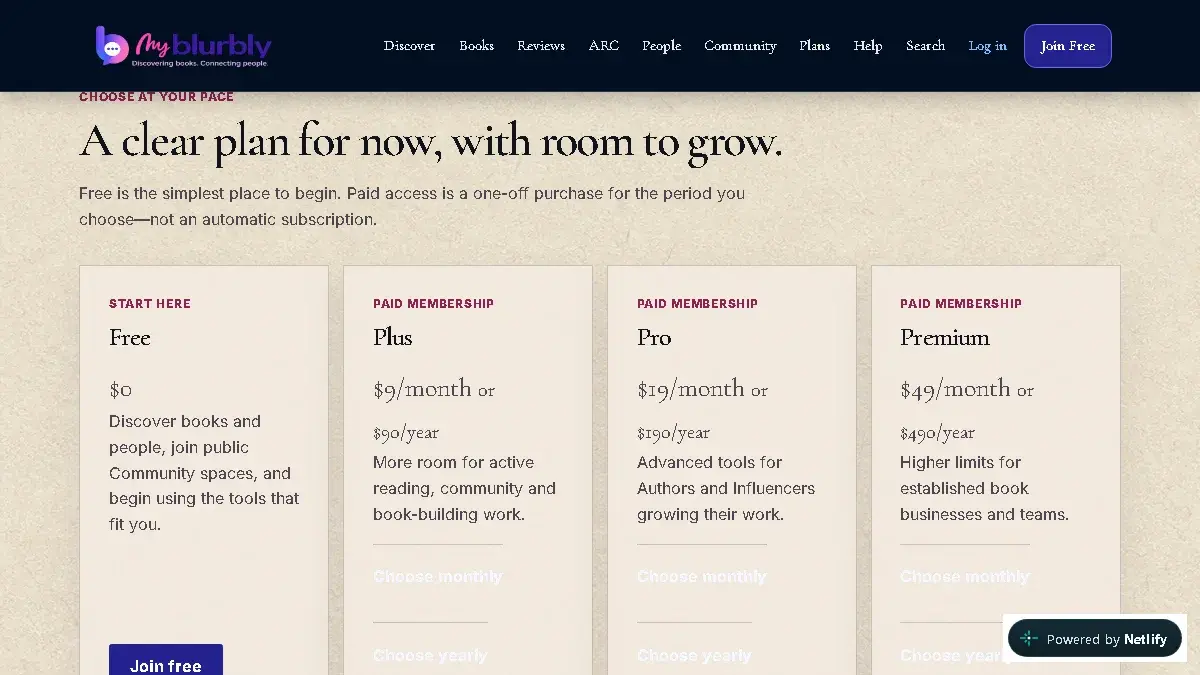
Compare current Free, Plus, Pro and Premium pricing. Paid checkout uses deliberate one-off payments and manual renewal. - Choose the monthly or yearly period for the paid plan you want.
- Read the immediate-service and refund notice, then select its consent checkbox only if you agree.
- Continue to Payfast’s hosted checkout and review the final amount and currency.
- Approve or cancel the one-off payment on Payfast.
- After returning, open Dashboard → Account → Plan and Billing. Access activates only after My Blurbly receives and verifies Payfast’s separate server notification.
What happens next
A successfully verified payment activates the purchased membership period. No recurring instruction or automatic renewal is created.
Common problems
- Checkout says it is unavailable.
- Do not retry repeatedly. Paid checkout is enabled only when all secure configuration gates are available; continue on Free or contact support.
- You returned from Payfast but the plan has not changed.
- Refresh Plan and Billing after a short wait. The browser return alone cannot activate access.